
How WhatsApp Business API is Different from WhatsApp Business App?
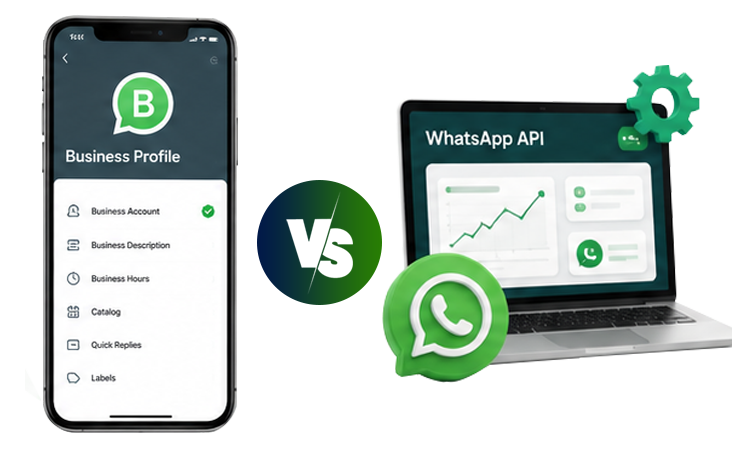
WhatsApp has become a key channel for businesses to communicate with and engage their customers. Companies use it to answer enquiries, share product information, follow up with leads, confirm appointments, provide support and promote offers.
But as a business grows, an important question comes up:
Should you continue using the WhatsApp Business App, or move to the WhatsApp Business API?
The answer depends largely on your business size, conversation volume, team size, automation requirements and need for integrations.
The WhatsApp Business App is designed to make business communication simple for smaller businesses. The WhatsApp Business API, now part of the broader WhatsApp Business Platform, is designed for businesses that need more control, automation and scalability.
The competitor article used for this comparison also positions the key distinction around scale, highlighting broadcast limits, team access, automation and integrations as major differences.
Let's break down the difference in simple terms.
WhatsApp Business App vs WhatsApp Business API at a Glance
| Feature | WhatsApp Business App | WhatsApp Business API |
|---|---|---|
| Best for | Small businesses and individuals managing customer chats | Growing businesses and larger teams |
| Setup | Simple app-based setup | Business Platform/API setup |
| Cost structure | App is free to use | Platform/provider costs plus applicable Meta messaging charges |
| Customer conversations | Yes | Yes |
| Business profile | Yes | Yes |
| Quick replies | Yes | Yes, with broader automation possibilities |
| Automated workflows | Limited | Advanced |
| Chatbots | Limited | Supported through integrations/platforms |
| Multi-agent support | Limited | Designed for team-based support |
| CRM integration | Limited | Yes |
| Advanced analytics | Limited | Yes |
| Bulk messaging | Restricted | Designed for scalable business messaging |
| Lead management | Basic | Advanced through integrations |
| E-commerce integrations | Limited | Supported |
| Scalability | Small-scale | High-scale |
The uploaded comparison also highlights the App's broadcast and device limitations and the API's stronger automation, CRM and analytics capabilities.
What Is the WhatsApp Business App?
The WhatsApp Business App is a mobile application designed for businesses that want a straightforward way to communicate with customers.
It is particularly useful for:
- Small businesses
- Freelancers
- Local service providers
- New businesses
- Businesses with a small customer base
- Owners personally handling most conversations
You can create a business profile, display your products or services, answer customer messages, use quick replies and send updates to customers.
For a business that receives a manageable number of enquiries each day, the app can be enough.
The biggest advantage?
Simplicity.
You don't need a complex technical setup just to start communicating with customers.
What Is WhatsApp Business API?
The WhatsApp Business API is designed for businesses that need to connect WhatsApp with their larger sales, support and marketing systems.
Instead of relying entirely on a mobile application, businesses can connect WhatsApp with software platforms, CRM systems, websites, help desks, automation tools and other business applications.
This makes it possible to create workflows such as:
Customer sends enquiry → Lead is captured → CRM is updated → Automated response is sent → Sales team takes over
The API is therefore much more suitable when WhatsApp becomes an important part of your business operations.
10 Key Differences Between WhatsApp Business App and WhatsApp Business API
1. Business Size and Scalability
The WhatsApp Business App works well when communication is relatively simple.
For example:
A salon with one owner and a few daily enquiries may not need an advanced WhatsApp system.
But consider an e-commerce company receiving hundreds of customer messages, marketing leads and order-related questions every day.
That business needs a more scalable system.
App
Best for smaller-scale communication.
API
Better suited to growing businesses, larger teams and higher communication volumes.
2. Broadcast and Bulk Messaging
This is one of the biggest differences between the two options.
The uploaded competitor article identifies a 256-contact broadcast limit for the Business App and describes the API as the scalable option for bulk messaging to opted-in contacts.
The important difference isn't simply the number of contacts.
With an API-based setup, businesses can build more structured campaigns using:
- Customer segments
- Personalisation
- Message templates
- Automated workflows
- Campaign scheduling
- Lead categories
- Customer behaviour
This makes the API significantly more useful for WhatsApp marketing.
3. Automation
The Business App provides useful tools for basic communication, such as quick replies and simple automated messages.
But modern businesses often need much more.
With a WhatsApp API solution, you can create workflows such as:
New lead → Welcome message → Qualifying questions → Lead assignment → Sales follow-up
Or:
Order placed → Confirmation → Shipping update → Delivery notification → Feedback request
This reduces repetitive manual work and allows your team to focus on conversations that actually need human attention.
4. WhatsApp Chatbots
A chatbot can answer common questions automatically.
For example:
Customer: What are your delivery charges?
Bot: Delivery is free on orders above ₹999.
Customer: How can I track my order?
Bot: Please enter your order number.
This type of structured communication becomes far more practical when WhatsApp is connected to an API-based platform.
Businesses can use chatbots for:
- FAQs
- Lead qualification
- Product discovery
- Appointment booking
- Order tracking
- Customer support
- Sales assistance
5. Multi-Agent and Team Access
Imagine a company where five sales representatives and three support agents all need to answer WhatsApp enquiries.
Managing everything through one person's phone quickly becomes difficult.
An API-based platform can provide a shared inbox or team-based workflow, allowing different employees to manage conversations.
This can help businesses:
- Assign conversations
- Track responsible agents
- Avoid duplicate responses
- Manage sales and support separately
- Monitor team activity
The competitor comparison identifies multi-agent access as a major API advantage over the Business App.
6. CRM Integration
The WhatsApp Business App generally operates as a standalone communication tool.
The API can become part of your wider technology stack.
For example:
Website Form → CRM → WhatsApp → Sales Team
When a customer submits a form on your website, the lead can be captured in your CRM and a WhatsApp message can be triggered automatically.
CRM integration can help businesses maintain information such as:
- Customer name
- Lead source
- Purchase history
- Conversation history
- Sales stage
- Follow-up status
- Customer preferences
This becomes especially valuable as the number of leads increases.
7. Analytics and Reporting
Sending WhatsApp messages is only part of the job.
Businesses also need to know:
Did customers receive the message?
Which campaign worked?
Which leads responded?
Which messages generated conversions?
The Business App offers limited visibility compared with a full API-based business communication platform.
API solutions can provide more detailed reporting around campaigns, conversations and customer engagement.
The uploaded competitor article specifically highlights campaign analytics and segmentation as areas where the API provides significantly broader capabilities.
8. Sales and Lead Management
For a small business, manually responding to leads may be manageable.
For a growing company, it can become inefficient.
With WhatsApp API automation, you can structure your sales process:
Step 1
Customer clicks your WhatsApp ad.
Step 2
WhatsApp automatically starts the conversation.
Step 3
The customer answers qualifying questions.
Step 4
The system categorises the lead.
Step 5
The lead is assigned to the appropriate sales representative.
Step 6
The salesperson continues the conversation.
This turns WhatsApp from a simple messaging application into a lead management channel.
9. E-commerce and Business Integrations
Modern businesses often use multiple technologies.
An e-commerce company may have:
Shopify + CRM + Payment System + ERP + WhatsApp
A healthcare business may use:
Website + Appointment System + CRM + WhatsApp
The Business API makes it possible to connect WhatsApp with other systems through APIs, integrations and automation platforms.
This opens up use cases such as:
- Order confirmations
- Payment reminders
- Cart recovery
- Appointment reminders
- Customer notifications
- Product recommendations
- Support tickets
10. Cost and Pricing
One important misconception is that the WhatsApp Business API is simply a paid version of the Business App.
The pricing model is more complex.
The Business App itself is free to download and use, while an API setup can involve platform/provider fees and Meta messaging charges, depending on the solution and usage.
The competitor article also separates the API's platform cost from Meta's message charges.
The important question therefore isn't:
“Which one is cheaper?”
It is:
“Which solution provides the functionality my business actually needs?”
If WhatsApp is only used for occasional customer conversations, paying for an advanced platform may not make sense.
If WhatsApp generates leads, sales and support requests every day, automation and integrations can provide much greater operational value.
WhatsApp Business App vs WhatsApp Business API: Which Is Better?
There is no universal winner.
Choose the WhatsApp Business App when:
- You are a small business
- You handle a limited number of conversations
- One or a few people manage communication
- You don't need advanced automation
- You don't require CRM integration
- WhatsApp is mainly used for customer support
Choose WhatsApp Business API when:
- Your message volume is growing
- Multiple employees need access
- You run WhatsApp marketing campaigns
- You need automated follow-ups
- You want a WhatsApp chatbot
- You need CRM integration
- You want advanced analytics
- You need scalable customer communication
- WhatsApp is becoming an important sales channel
Can You Use WhatsApp Business App and API Together?
This is an important consideration for businesses that already use the WhatsApp Business App.
The uploaded 2026 reference specifically discusses coexistence, where businesses can run the app and API on the same number with message synchronisation.
For businesses that qualify for the relevant setup, this can make migration less disruptive.
Instead of thinking:
“Do I have to abandon my current WhatsApp setup?”
the better question is:
“Can I extend my existing WhatsApp workflow with API capabilities?”
This is something businesses should evaluate with their WhatsApp platform provider before migration.
When Should You Move From WhatsApp Business App to API?
There isn't one perfect number for every business.
However, these are strong warning signs that your current setup is becoming restrictive:
Your team is growing
More employees need to respond to customers.
You're receiving too many enquiries
Important leads are being missed or answered late.
You're manually repeating the same answers
Your team spends hours responding to basic questions.
You want to automate lead follow-ups
You want WhatsApp to continue engaging leads after the first conversation.
You're running marketing campaigns
You need segmentation, templates and campaign reporting.
You need CRM integration
Customer conversations need to connect with sales data.
You need measurable results
You want to track campaign performance and conversions.
When several of these apply, an API-based WhatsApp solution is worth evaluating.
WhatsApp Business App vs API: Simple Example
Consider two businesses.
Business A: Local Salon
The salon receives around 20–30 customer messages each day.
One person manages WhatsApp.
Customers mainly ask:
- Appointment availability
- Location
- Pricing
- Opening hours
WhatsApp Business App is probably sufficient.
Business B: E-commerce Brand
The company receives hundreds of conversations across:
- Product enquiries
- Orders
- Delivery questions
- Returns
- Marketing campaigns
- Sales leads
Five sales agents and multiple support employees need access.
The business also uses a CRM and e-commerce platform.
WhatsApp Business API is the more suitable option.
The difference is not simply company size.
It is communication complexity.
WhatsApp Business API for Business: What Can You Automate?
Once WhatsApp is connected to your business systems, the possibilities become much broader.
Lead Generation
Capture and qualify leads automatically.
Customer Support
Handle FAQs and route complex conversations to employees.
Sales
Send personalised follow-ups and product information.
Marketing
Run targeted WhatsApp campaigns with approved templates.
Notifications
Send order, booking and payment updates.
Appointment Management
Confirm, remind and reschedule appointments.
Customer Retention
Create follow-up and re-engagement workflows.
This is where WhatsApp automation can produce much more value than simply sending messages manually.
Common Mistakes Businesses Make When Choosing Between App and API
Choosing API Because It Sounds More Advanced
Advanced technology isn't automatically better.
If your business has simple requirements, the Business App may be enough.
Staying With the App for Too Long
On the other hand, continuing with manual communication after your business has outgrown the app can create inefficiency.
Focusing Only on Cost
Look at the cost of:
Software + employee time + missed leads + manual work + lost opportunities
rather than only the subscription fee.
Ignoring Integrations
Your WhatsApp strategy should fit into your existing technology ecosystem.
Automating Everything
Automation should handle repetitive workflows—not replace useful human conversations.
Why CoreConnect360 for WhatsApp Business API?
CoreConnect360 is designed to help businesses turn WhatsApp into a more structured sales, marketing and customer communication channel.
The platform focuses on capabilities including:
- WhatsApp Business API
- WhatsApp automation
- AI chatbots
- Lead management
- CRM integration
- Customer engagement
- Analytics
- Business messaging
CoreConnect360's platform positioning is built around connecting, engaging and selling through WhatsApp, particularly for e-commerce and online businesses.
Instead of simply adding another communication tool, businesses can use WhatsApp as part of their broader customer journey.
From:
Message → Manual Reply → Follow-up
To:
Lead → Automation → Qualification → CRM → Sales → Retention
Final Verdict: WhatsApp Business App or WhatsApp Business API?
The easiest way to remember the difference is:
WhatsApp Business App = Simple Communication
WhatsApp Business API = Scalable Business Communication
The app is a practical starting point for small businesses.
The API becomes more valuable when you need automation, multiple agents, CRM integration, marketing campaigns, analytics and scalable workflows.
So don't choose based on which one is “better.”
Choose based on what your business needs WhatsApp to do.
When WhatsApp becomes an important part of your sales and support operation, moving from a simple messaging app to an API-powered business platform can give your team far more control.