How to Get WhatsApp Blue Tick Verification: Complete 2026 Guide
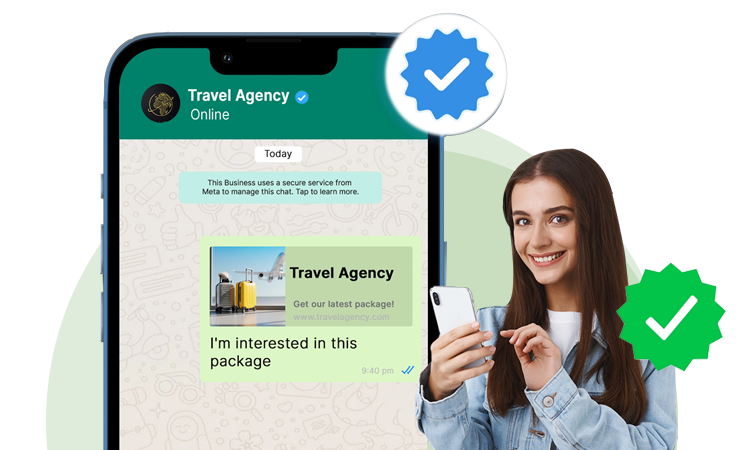
A blue tick beside a business name on WhatsApp can make it easier for customers to recognise an authentic business and feel more confident when interacting with it.
But there is an important point many online guides get wrong.
There are different verification routes on WhatsApp.
For businesses using the WhatsApp Business app, Meta offers Meta Verified, a subscription that includes a verified badge along with additional business benefits such as enhanced support, impersonation protection and multi-agent capabilities.
For businesses using the WhatsApp Business Platform or Cloud API, the blue badge can be associated with Official Business Account (OBA) status, which is a separate verification process. Current API documentation describes this as a reviewed status rather than something you simply purchase.
Understanding which route applies to your business is the first step.
What Is the WhatsApp Blue Tick?
The WhatsApp blue tick is a verified badge associated with an authentic business account.
It helps distinguish an official business presence from accounts that may be impersonating a brand.
Meta says its Meta Verified badge is intended to help people feel more confident that they are interacting with the genuine business.
The badge should not be confused with WhatsApp's blue read receipt. They are completely different:
- Blue read receipts: Show that a message has been read.
- Verified blue badge: Indicates that a business account has received verification.
WhatsApp Blue Tick vs Meta Verified: What Is the Difference?
This is one of the most important sections of this guide.
| Feature | Official Business Account (OBA) | Meta Verified for Business |
|---|---|---|
| Main platform | WhatsApp Business Platform / Cloud API | WhatsApp Business app |
| Verification type | Official Business Account status | Meta Verified subscription |
| Purpose | Business authenticity and official presence | Verification plus additional business benefits |
| Payment | OBA status is not simply a subscription purchase | Paid subscription where available |
| Application | Requested through WhatsApp Manager after eligibility requirements | Started from the WhatsApp Business app |
| Additional benefits | Focused on official business status | Can include support, impersonation protection and other features |
Current WhatsApp Business documentation says Meta Verified on WhatsApp provides the verified badge along with benefits such as a custom web page, enhanced support, multi-agent account functionality and verified channels, depending on the subscription tier.
For API users, the OBA route should therefore not automatically be treated as the same product as Meta Verified.
How to Get WhatsApp Blue Tick Verification on the WhatsApp Business App
If you operate through the WhatsApp Business app and Meta Verified is available to your business, the process is comparatively straightforward.
According to WhatsApp's current business guidance:
Step 1: Open WhatsApp Business
Open your WhatsApp Business account and go to Tools.
Step 2: Select Meta Verified
Look for Meta Verified in the available business tools.
Step 3: Choose Your Subscription
Select the Meta Verified subscription option available to your business.
Availability and features can vary by market and subscription tier.
Step 4: Select the Business Account
Choose the account you want to verify.
Step 5: Complete the Verification Process
Meta may ask you to provide business information or documentation as part of its verification process.
Step 6: Complete Payment
Meta Verified is a subscription service. Complete payment through the available payment process.
WhatsApp's current instructions describe this basic flow as Tools → Meta Verified → subscription package → account selection → payment.
How to Get WhatsApp Blue Tick on WhatsApp Business API
Businesses using the WhatsApp Business Platform or Cloud API should approach verification differently.
An API number does not automatically receive OBA status merely because it has WhatsApp Business API access.
A current API-focused guide describes the OBA process around several prerequisites, including business verification, an established platform presence, two-step verification, messaging-policy compliance and an approved display name.
1. Complete Meta Business Verification
Your business portfolio should have the appropriate verification completed.
Your business information should be consistent across your:
- Legal business documents
- Bonus portfolio
- Website
- Bonus details
- WhatsApp account
Inconsistent business information can create unnecessary verification problems.
2. Set Up Your WhatsApp Business Platform Account
Your business number needs to be correctly connected to the WhatsApp Business Platform.
This is different from simply having a standard personal WhatsApp account.
3. Get Your Display Name Approved
Your WhatsApp display name should accurately represent your business.
Avoid adding unnecessary promotional phrases, keywords or unrelated terms to the display name.
A consistent brand identity is important when establishing an official business presence.
4. Enable Two-Step Verification
Two-step verification adds an additional layer of protection to your WhatsApp business number.
For businesses preparing for OBA verification, current API guidance lists two-step verification as one of the requirements.
5. Maintain Good Messaging Quality
Your business should follow WhatsApp's Business Messaging Policy.
Avoid:
- Sending messages without appropriate permission
- Excessive spam
- Misleading messaging
- Content that violates WhatsApp policies
- Practices that generate repeated user blocks or reports
A clean messaging history can help keep your business communication compliant.
6. Meet the Required Account Tenure
Current API-focused documentation identifies a minimum period of platform registration before an OBA request can be made.
This is important because a newly created API number may not immediately qualify for the verification request.
7. Submit the Official Business Account Request
Once the required conditions are satisfied, the request can be submitted through WhatsApp Manager.
The current API workflow is:
WhatsApp Manager → Overview → Business Phone Number → Phone Numbers → Profile → Official Business Account → Submit Request.
Meta then reviews the request and communicates the outcome.
WhatsApp Blue Tick Eligibility and Requirements
Meeting the requirements does not mean approval is guaranteed.
For the API/OBA route, current guidance identifies these major requirements:
Business verification
Your business portfolio should complete Meta's verification process.
Approved display name
Your display name should accurately represent your business.
Two-step verification
Your business number should have the required security setup.
Messaging-policy compliance
Your communication must follow WhatsApp's Business Messaging Policy.
Established WhatsApp Business Platform presence
Your number needs to satisfy the required platform tenure before requesting OBA status.
Meta may also consider information and activity associated with your business during its review.
What Documents May Be Needed?
The exact documents can vary according to the business, country and verification process.
Common business verification information may include:
- Legal business name
- Business address
- Business phone number
- Business website
- Company registration information
- Tax or government registration documents
- Proof of business details
The most important rule is consistency.
Your website, business documents, Meta business portfolio and WhatsApp profile should not present conflicting information.
Why Do Businesses Want WhatsApp Blue Tick Verification?
1. Build Customer Trust
Customers are more comfortable communicating with a business when they can identify an authenticated business presence.
Meta positions Meta Verified as a way to help businesses build confidence with new audiences.
2. Strengthen Brand Authenticity
A verified business badge helps distinguish an official business account from potentially misleading accounts.
3. Protect Against Impersonation
Meta says Meta Verified includes impersonation protection for businesses.
4. Improve Professional Appearance
A verified presence can make your business communication look more established and professional.
5. Support Customer Communication
For Meta Verified accounts, available benefits can include enhanced support and multi-agent capabilities, depending on the subscription tier.
Why Is My WhatsApp Blue Tick Verification Rejected?
Verification can fail for several reasons.
Inconsistent Business Information
Your legal business name, website, documents and WhatsApp information may not match.
Poor Messaging Quality
Frequent complaints, blocks or policy violations can create problems.
New or Incomplete Account
A newly created business number may not satisfy the requirements for an OBA request.
Display Name Problems
A display name that does not appropriately represent your business can cause issues.
Incomplete Business Verification
If your Meta business verification is incomplete, additional verification steps may be required.
Policy Issues
Businesses must follow WhatsApp's Business Messaging Policy and other applicable requirements.
Current API guidance maps these types of issues to common OBA failure points and recommends correcting them before submitting another request.
What Should You Do After a Rejection?
Do not immediately submit the same application again.
First review:
Business documents → Display name → Website → Meta Business verification → Messaging quality → WhatsApp policies
Then correct the underlying issue.
Current API guidance states that a rejected OBA request requires a 30-day waiting period before another submission.
Use this period to strengthen your business profile rather than simply repeating the previous application.
Do You Need a WhatsApp Business API to Get a Blue Tick?
Not necessarily.
This depends on which verification route you are referring to.
A business using the WhatsApp Business app may have access to Meta Verified, where available. Meta's current WhatsApp Business documentation provides the subscription process directly through the Business app.
Businesses using the WhatsApp Business Platform can pursue the Official Business Account verification route where eligible.
So before applying, determine whether your business needs:
Meta Verified for the WhatsApp Business app
or
Official Business Account verification for the WhatsApp Business Platform.
This distinction can save time and prevent choosing the wrong process.
Blue Tick Verification Is Not the Same as WhatsApp Business API
A common misconception is that getting WhatsApp Business API access automatically gives a blue tick.
It doesn't.
The API gives your business access to WhatsApp's business communication infrastructure.
Verification is a separate layer.
For a growing business, the more useful approach can be to combine:
WhatsApp Business API + Automation + CRM + Analytics + Verified Business Presence
That allows you to use WhatsApp not just as a messaging channel but as part of your sales and customer-support workflow.
How CoreConnect360 Helps Businesses With WhatsApp
CoreConnect360 is built around WhatsApp Business communication for businesses that want to connect, engage and sell through WhatsApp. Its platform includes WhatsApp Business API capabilities and business communication workflows.
CoreConnect360 can help businesses build workflows around:
- WhatsApp Business API
- Customer conversations
- Lead generation
- Automation
- AI chatbot
- CRM integration
- Customer support
- Analytics
- Sales communication
The goal is not simply to get a verified badge.
It is to build a professional WhatsApp business channel that can support customers and generate business results.
Ready to Build a Smarter WhatsApp Presence?
Talk to the CoreConnect360 team about WhatsApp Business API, automation and customer communication solutions.